Keyboard Tester: The Ultimate Guide to Keyboard Test Tools
In today’s digital world, the keyboard is one of the most important tools we use every day. Whether you are a gamer, writer, student, or office worker, you need a keyboard that works well. But sometimes, the keys on your keyboard stop working, get stuck, or type the wrong characters. That’s when a keyboard tester comes in handy.
An online keyboard test tool helps you check if all the keys on your keyboard are working properly. In this article, we will explain what a keyboard tester is, how to use it, and why it is helpful.
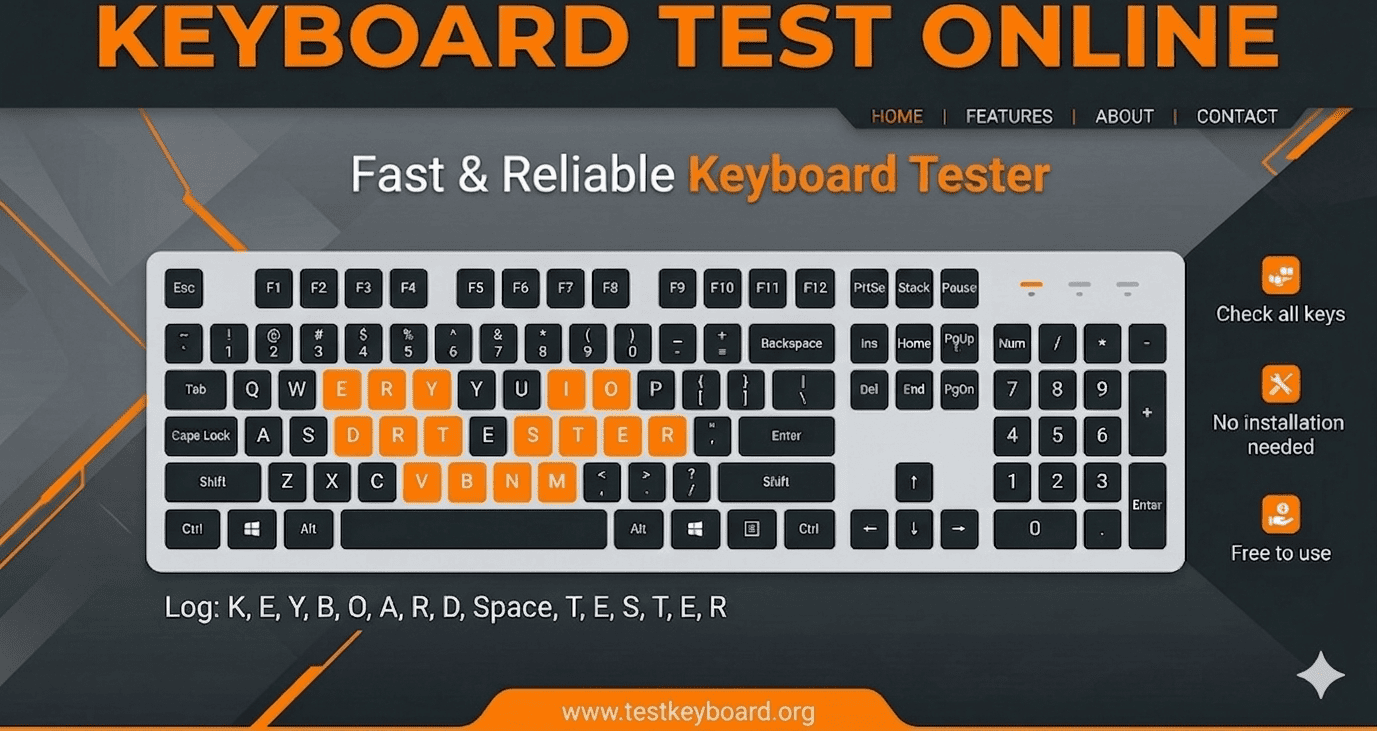
What is a Keyboard Tester?
Keyboard tester is a simple tool, usually available online, that tests your keyboard. It displays an image of a keyboard on your screen. When you press a key on your real keyboard, the key on the screen lights up or changes color. This lets you see which keys are working and which are not.
When using an online keyboard test, you don't have to download anything. You just open the website and start testing.
Why Should You Use a Keyboard Test Online?
- Find Broken Key : The most common use of this is if a key on your keyboard isn't working, a visual inspection will help you quickly identify which one is broken. This is crucial for identifying problems with frequently used keys like the spacebar or 'Enter' key before they disrupt your work.
- Fix Double Typing : Is your keyboard typing 'tt' even though you've only pressed 't' once? This annoying problem is often a sign of a dirty mechanical switch or sensitivity setting. Before cleaning or adjusting your settings, a keyboard tester can help you confirm which keys are affected.
- Test a New or Used Keyboard: Just unboxed a new keyboard? Run a test to make sure there are no factory defects from the start. Buying or selling a used keyboard? An online test is the fastest way to build trust or verify the condition of a product, making it a powerful tool for any negotiation.
How To Use Keyboard Tester Tools
Keyboard Tester is an essential browser-based utility that allows you to test the functionality of each key on your keyboard. It helps diagnose hardware problems without the need to install any software.
- Just open Keyboard Tester or a similar website in your web browser. No download or installation required.
- JWhen the virtual keyboard appears on your screen, start pressing each key on your real keyboard.
- When you press a key, the corresponding key on the on-screen diagram will be highlighted or change color. This immediate visual feedback confirms that the key switch is working and sending the correct signal to your computer.
- This tool is perfect for identifying broken keys, testing a brand new or custom-made keyboard, or troubleshooting stuck keys that are accidentally typing characters.
Important Features of our Keyboard Tester Tool
- Theme : In our keyboard test tool, you get a theme option that allows you to easily switch between day and night themes based on the lighting conditions.
- Adjustable keyboard size : Our online keyboard test tool offers three keyboard sizes, selectable from the slider above: full keyboard, Tenkeyless (TKL), and 75% keyboard. Choose the layout that suits your testing needs.
- Reset The Keyboard: With the reset keyboard feature, you can clear all test inputs instantly with one click. Perfect for retesting or switching between keyboards, this option restores the interface to its default state, ensuring a clean slate for accurate keystroke testing every time.